Changelog
Your start in cosmos™, redesigned
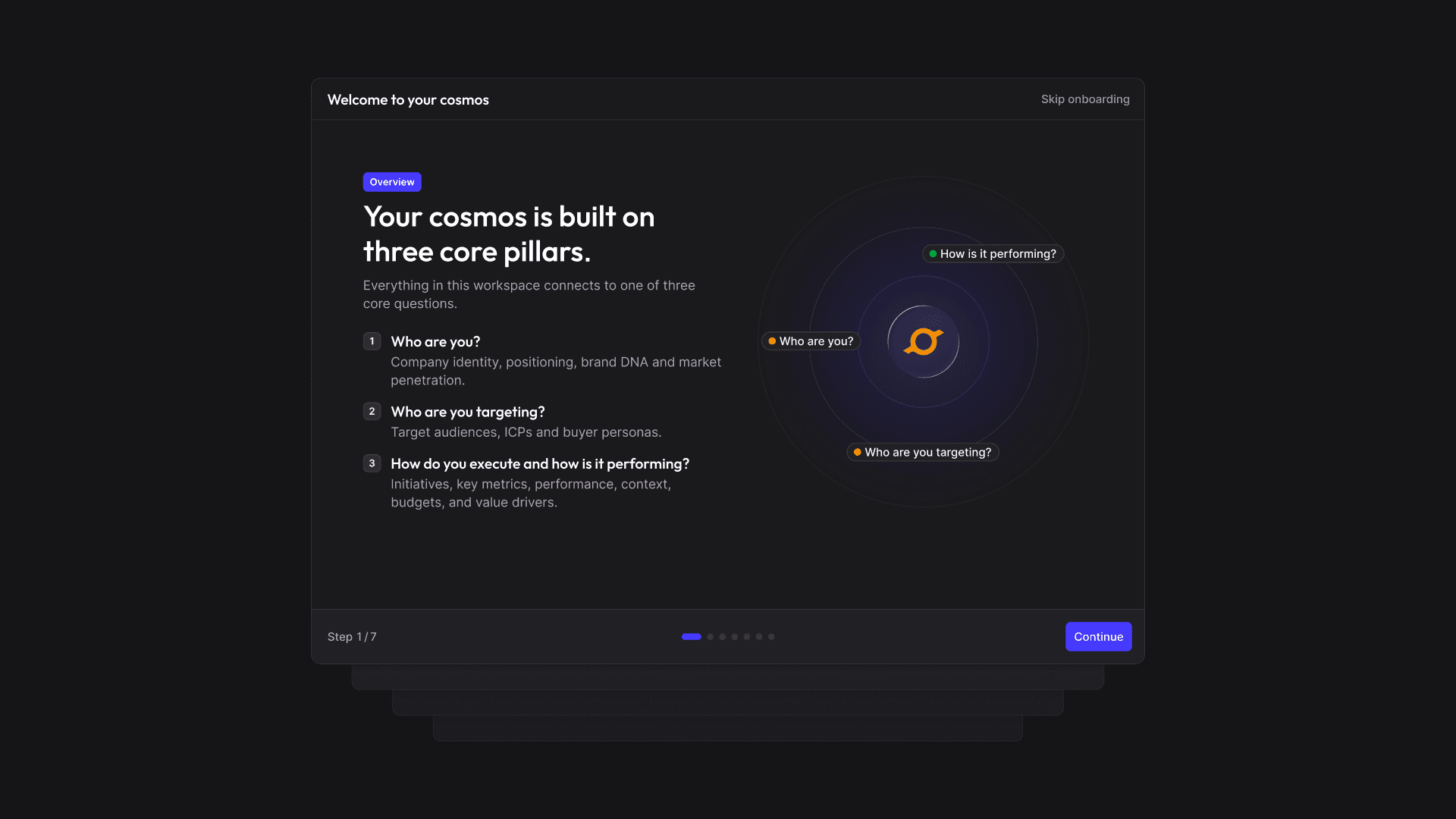
Start more easily. Gain clarity faster. With the new onboarding, you get to know the core pillars, and learn how best to get started.
- Understand the fundamentals: Get to know the core principles of cosmos™ and understand how the individual areas work together.
- Get started more easily: The new welcome experience guides you step by step through your first steps and shows you how to get started with cosmos™.
- Reopen anytime: Want to look something up or go through the introduction again? Simply open the onboarding anytime from the user menu.
- Get personal support: For the best possible start, you can also book a free onboarding session with our team at any time.
Clarity Score: See how well-founded your decisions really are
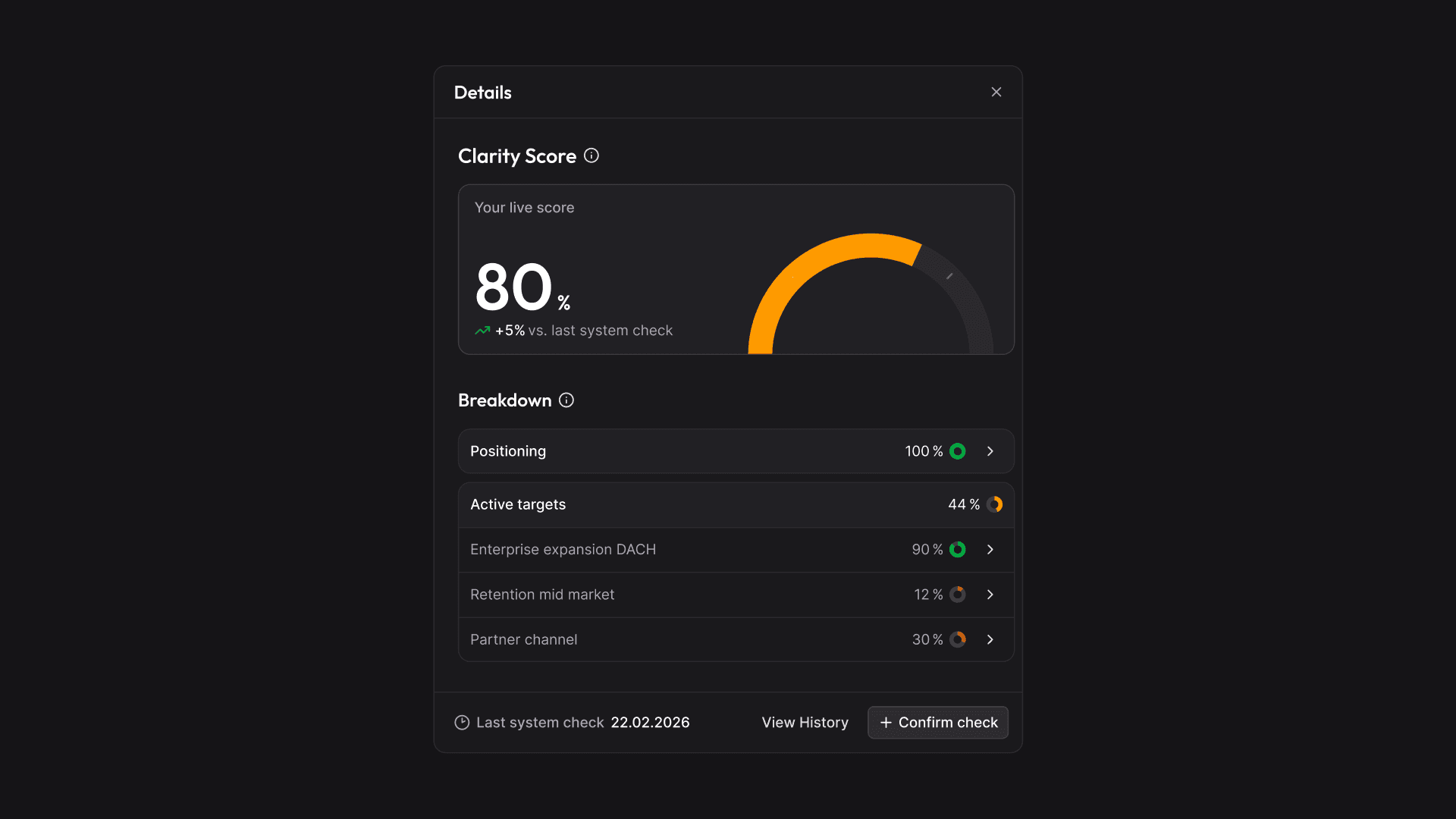
Business-critical decisions are often made on the basis of incomplete information – without anyone even noticing. The new Clarity Score in cosmos™ makes the completeness of your data measurable: you can see at any time how solid the foundation of your decisions is and where gaps remain.
- Overall score across all targets: Shows how complete your strategic data is overall – across all targets, including Positioning
- Score per target: Evaluates the data of each target and the completeness of its personas, so you can see exactly where to sharpen
- Only active targets count: scenarios in planning don't distort the score
- Transparent calculation: always clear how the score is composed
- History: track over time whether your data foundation is improving or declining
Make problems & potential visible with Signals
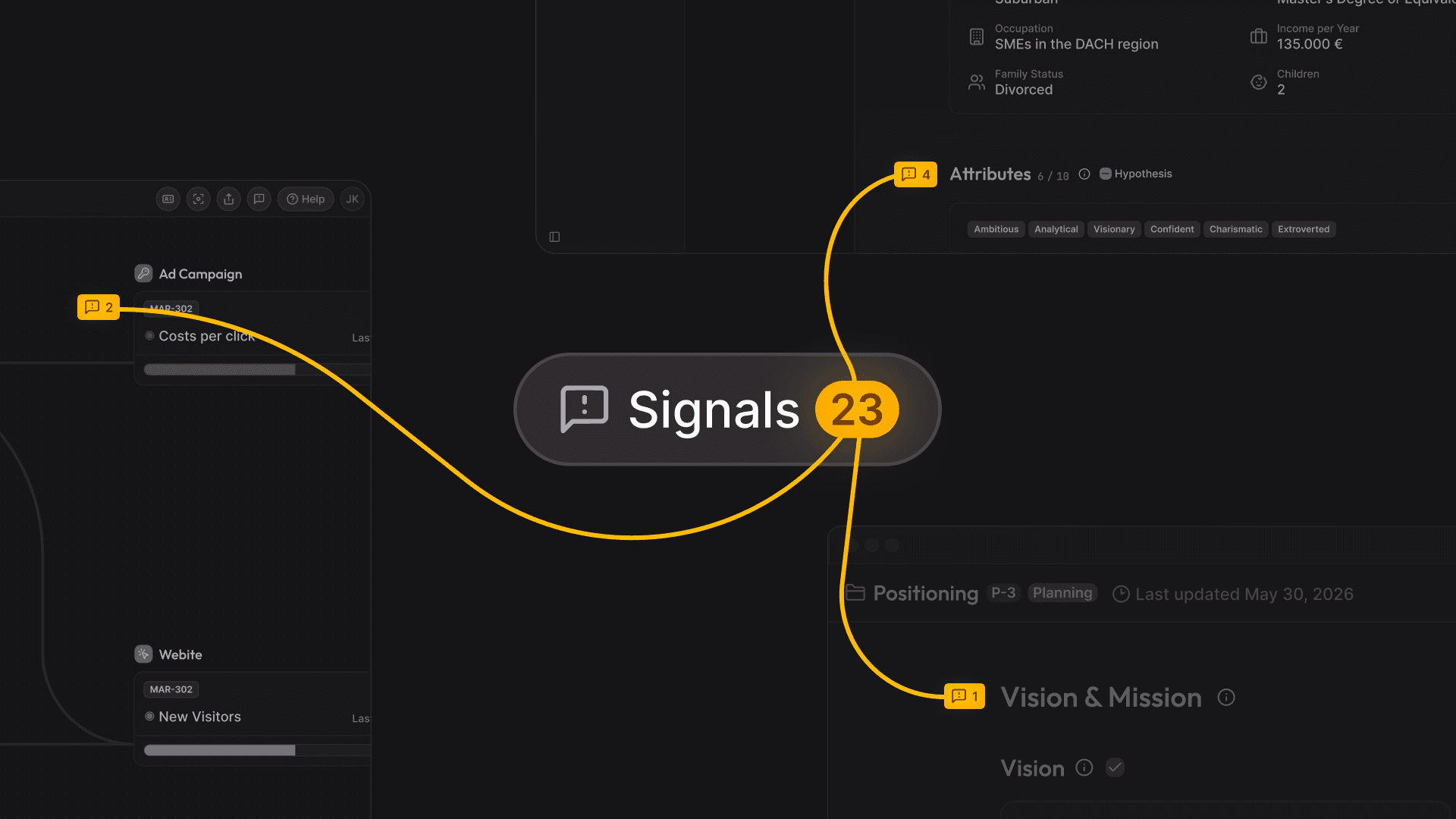
In day-to-day work, important insights easily get lost: a touchpoint falls short of its targets, or an opportunity goes unnoticed. With the new signals in cosmos™, you can see what needs attention – so you can spot problems early, uncover opportunities and make better-informed decisions. Notice something? Capture it as a signal right where it belongs – for example on touchpoints, key events, activities, positioning or persona details. That way, observations and insights stay in the right context.
One place for everything that needs your attention
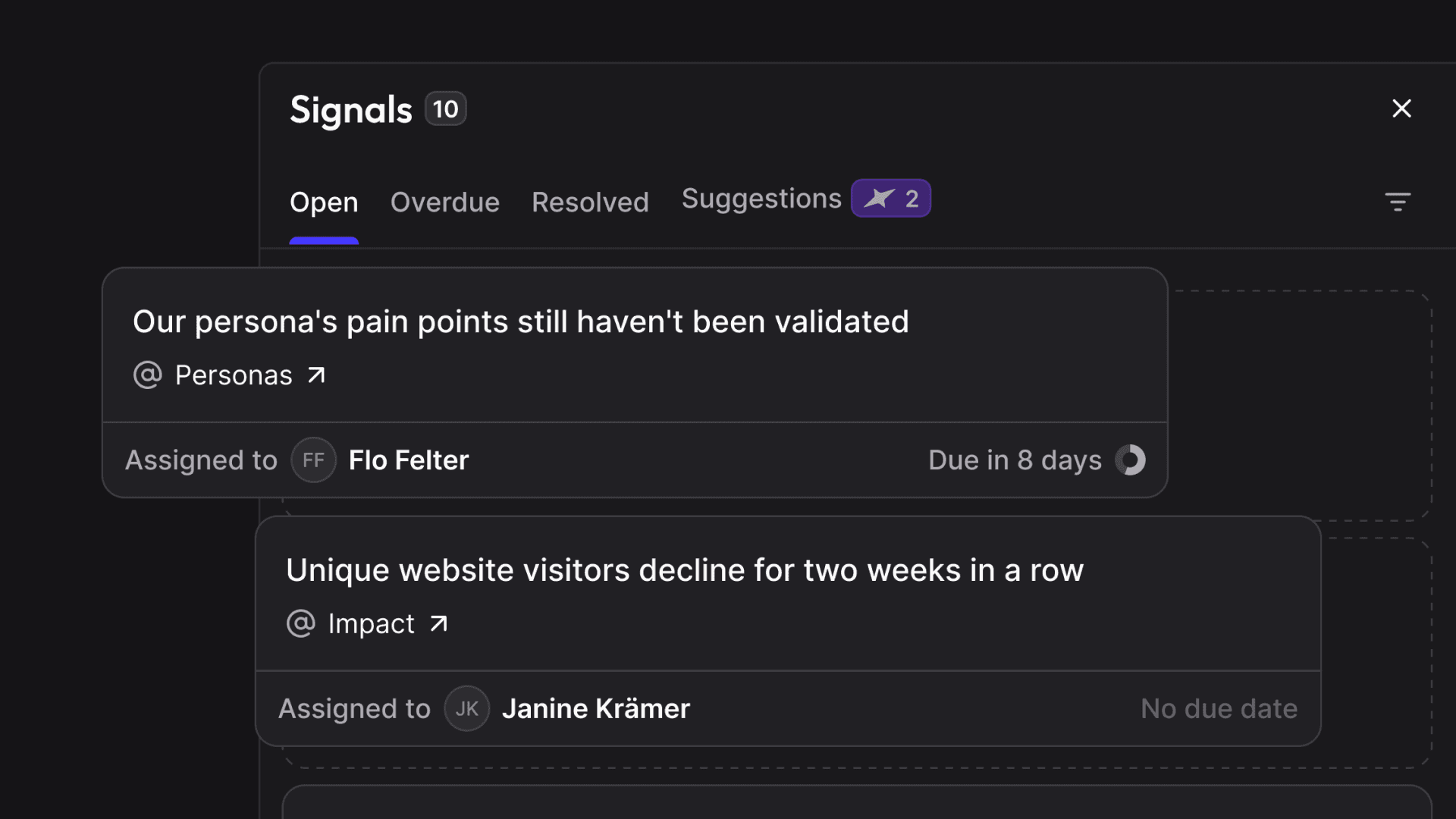
All signals are collected in one central feed. Open and resolved signals stay easily accessible, so the whole team keeps track of what has come up and which topics have already been addressed. Important insights no longer get lost so easily in meetings, chats or one-on-one conversations.
The AI catches what gets lost in day-to-day work
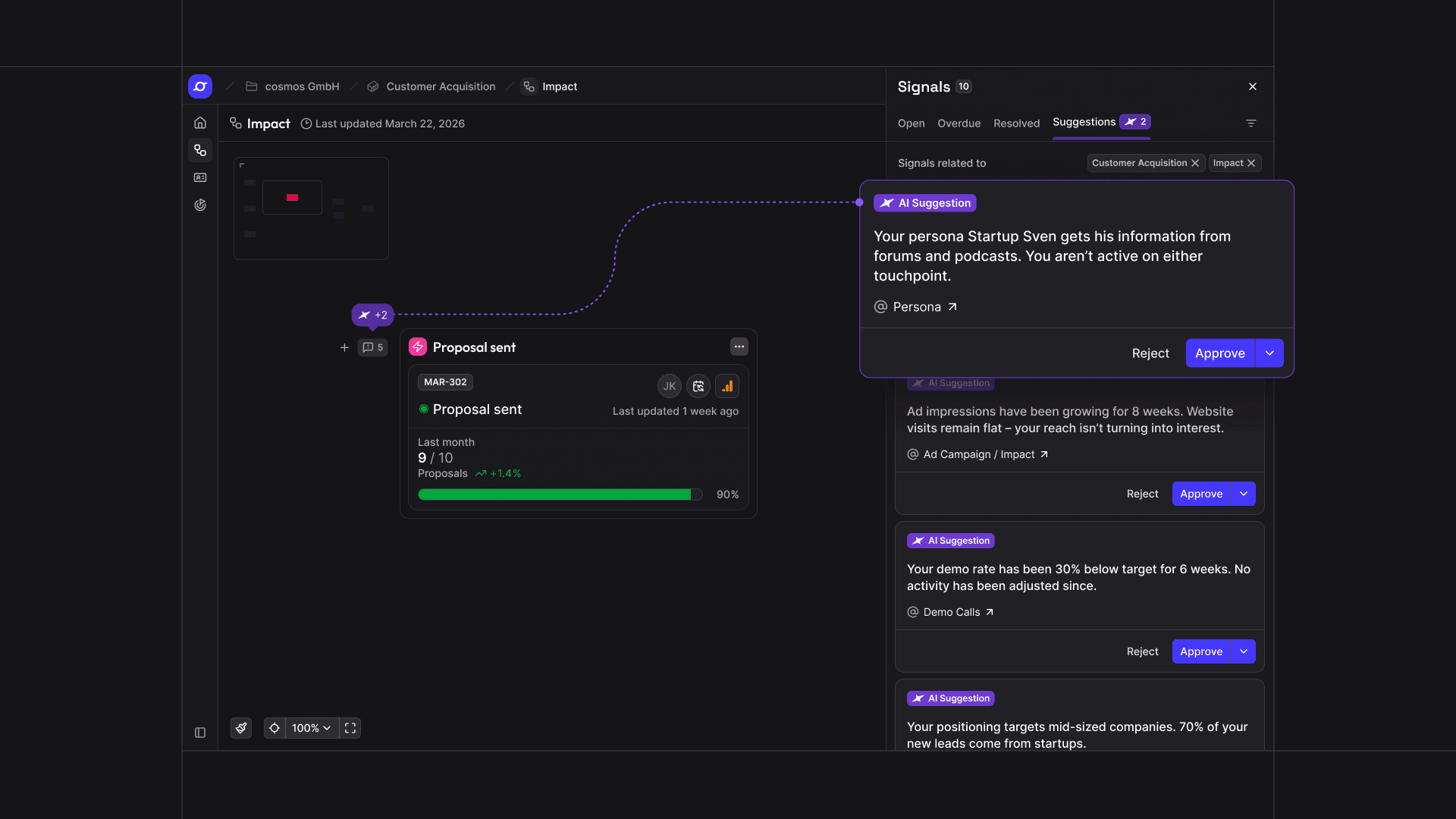
Not everything that matters stands out right away. That's why the AI analyzes your entire cosmos every day and detects potential problems, opportunities, gaps and deviations that are easily overlooked in day-to-day work. Its observations appear as suggestions – you decide which ones to keep as signals.
New measurement period: Running Interval
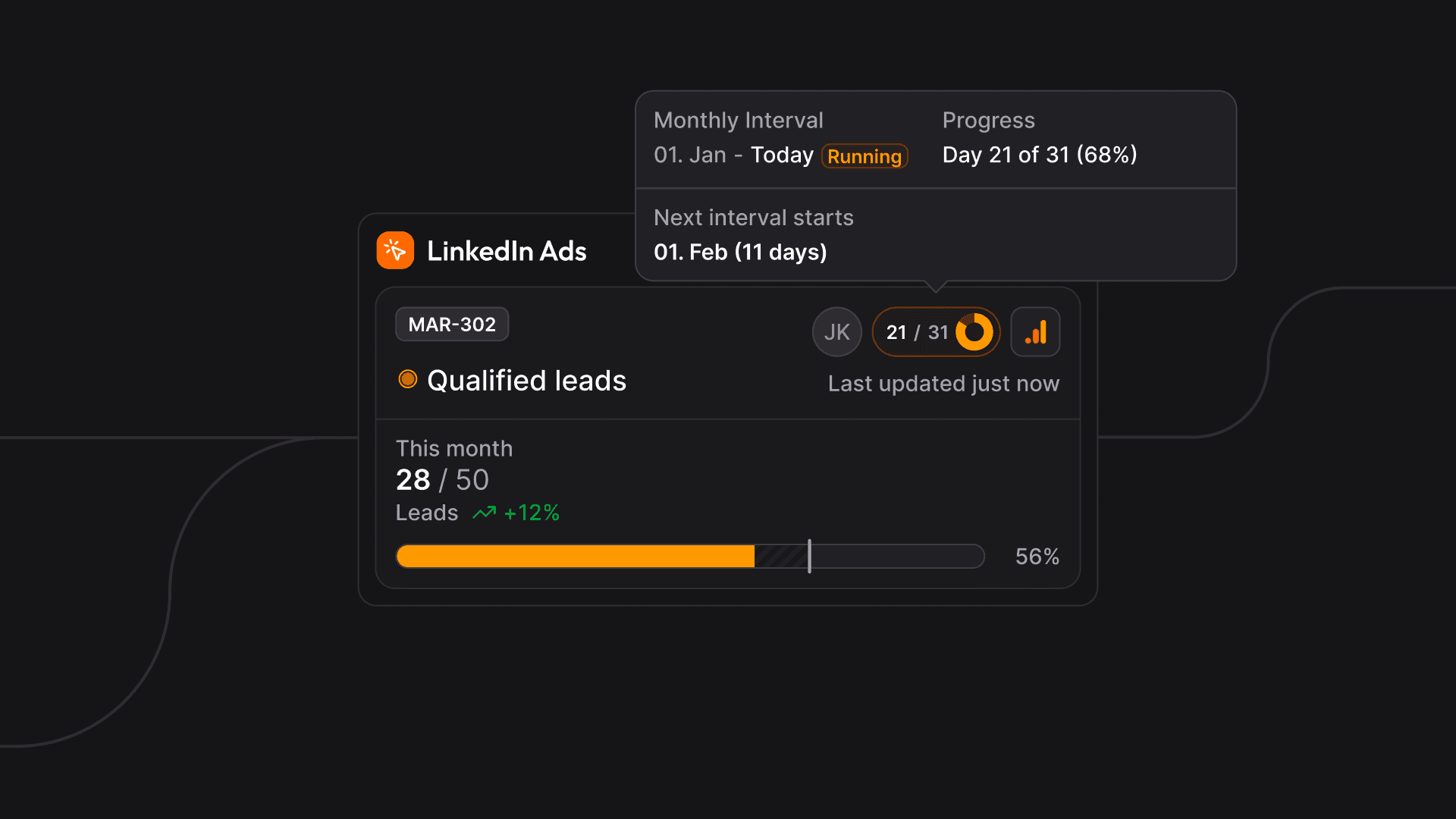
For some KPIs, it's not enough to find out at the end of an interval whether the target was reached. With the “Running Interval”, you can see during the current interval whether you're on track and adjust course in time. Example: with a monthly interval, the target is distributed across the individual days – so you can see every day how much of the monthly target should already be reached and where you actually stand.
cosmos™ thereby extends asynchronous success measurement: each initiative is measured in exactly the timeframe in which its success becomes visible, instead of evaluating everything on the same rhythm.
Extended history chart: more clarity on your data
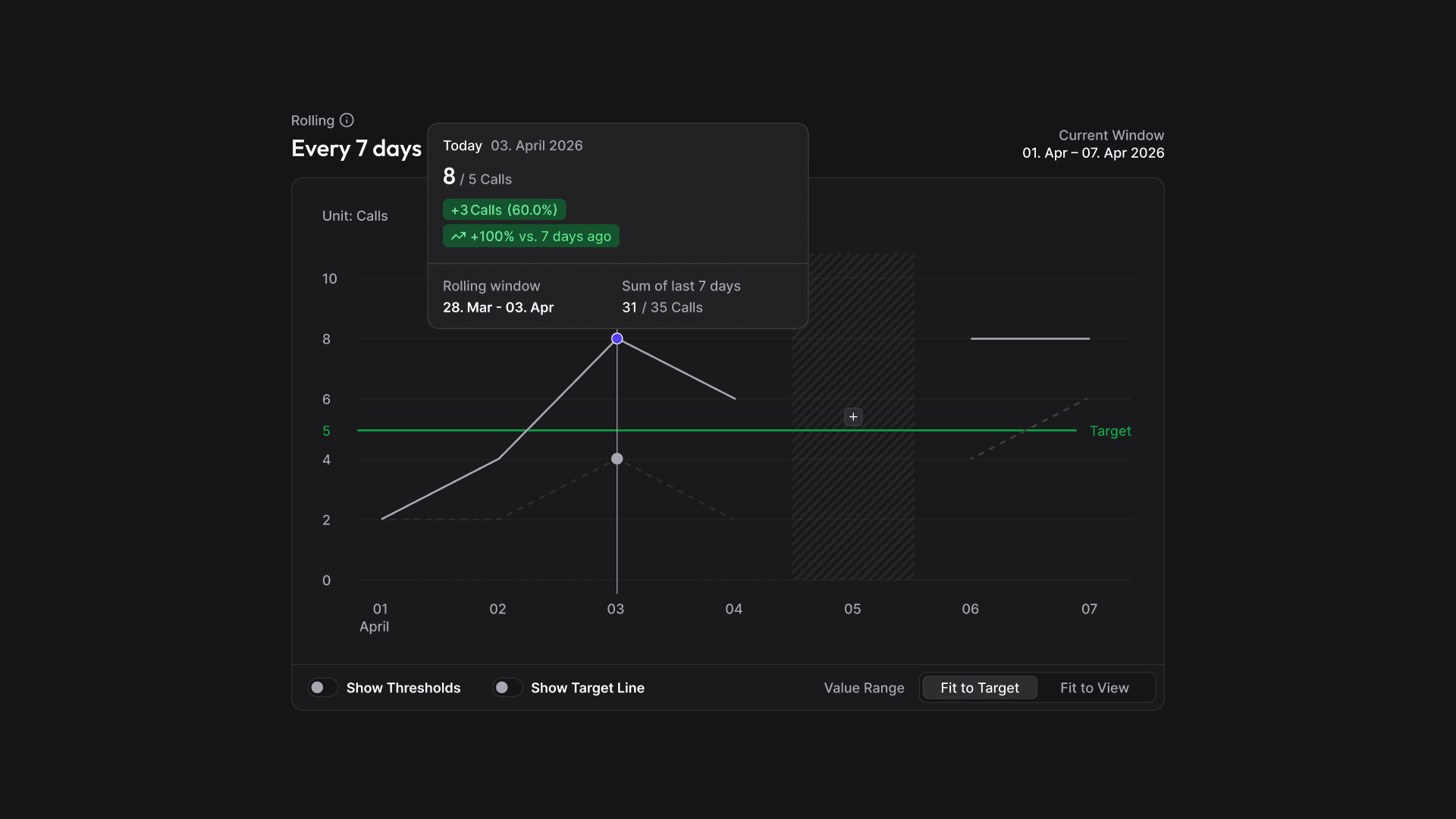
- Show target line: the gap to the target value is visible directly in the chart
- Two view modes: switch the display to spot small changes and outliers
- More details at every data point: a popover shows all relevant information so you understand the full context behind every value
Improvements
- Amazon Ads data: Automatically loads the last 95 days – the full time range Amazon provides
- TikTok Organic: Now available weekly and monthly – track your organic performance in the cadence that fits your KPIs
- Google Sheets columns in the metric picker: Connect data from any Google Sheets column directly to your KPIs
Separate validated information from assumptions
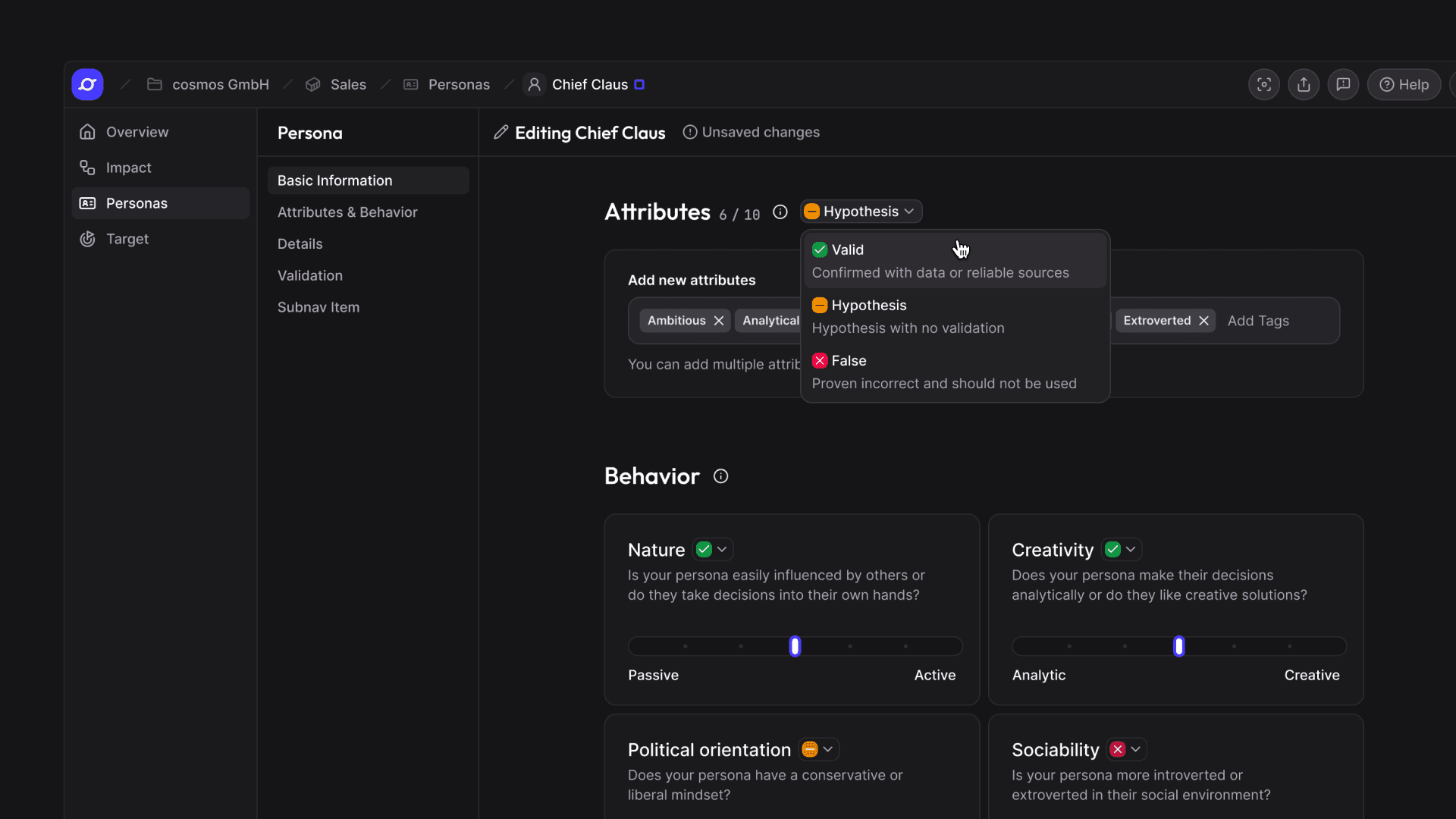
Personas are often built on assumptions. From now on, you can mark every single entry of a persona as Hypothesis, Validated or False. That way, you see at a glance what you can rely on and what still needs to be checked.
- Status per entry: Hypothesis, Validated or False – validation status at a glance
- Decisions on a verified basis: campaigns, messaging and impact chains build on validated knowledge instead of gut feeling
- Disproven entries stay visible: entries marked as False remain in place, so both you and the AI can see which assumptions have already been ruled out
- Clean start when duplicating: everything is reset to Hypothesis, so no new persona inherits another persona's validations unchecked
New navigation (Part 1): fewer clicks, more overview
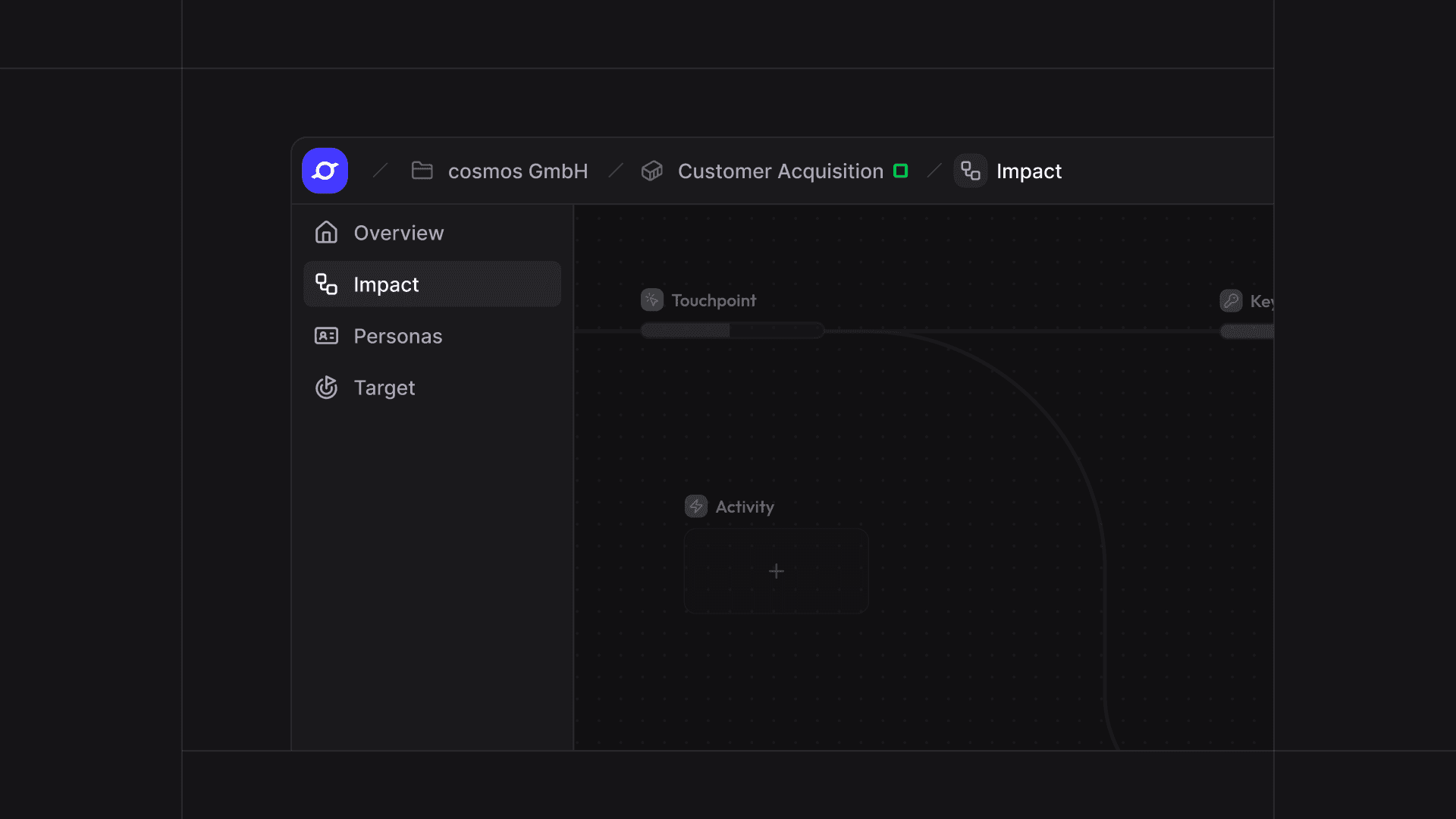
cosmos™ has a completely new navigation. All areas are now accessible from one central sidebar, you always see where you are, and you can move between Spaces, Targets and Positioning without detours.
- New sidebar: all areas in one place, easier and more intuitive to reach
- Breadcrumb navigation: you always know where you are
- Straight into the Impact Chain: targets open in the Impact Chain or in your own default layer
- Collapsible: more space when you need it, automatically collapsed on small screens
- Full screen: the entire screen for your work
Rethought Edit Mode
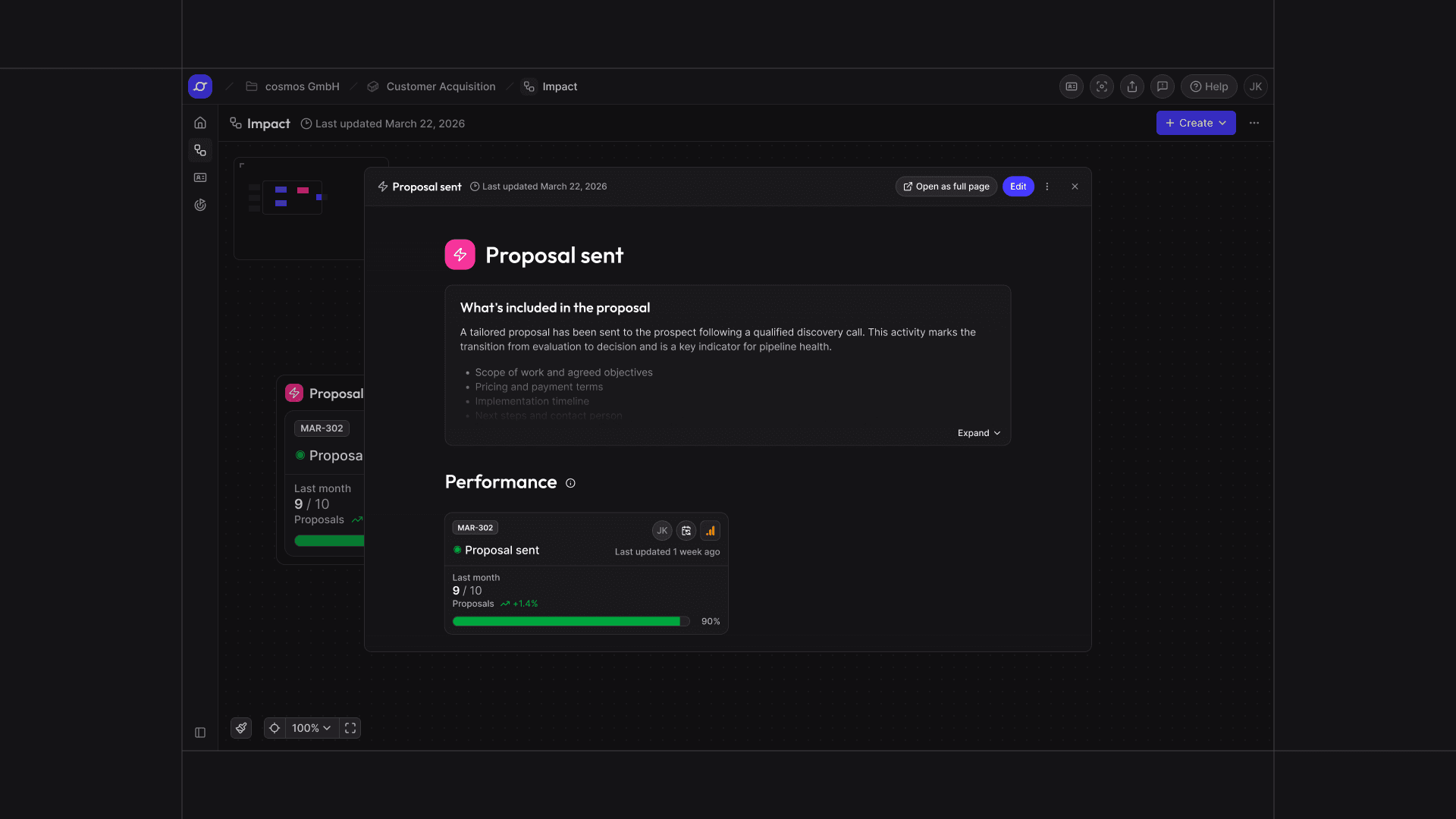
The redesigned Edit Mode takes fewer clicks, is more intuitive and comes with new features. For example, you can now format and structure text freely – with multi-level headings, bullet points or numbered lists. In addition, touchpoints, key events and activities now open in an overlay directly on top of the impact chain. That way, you can edit content without losing context.
Improvements
- Convert touchpoints flexibly: Any touchpoint can be converted into an Activity or Key Event at any time
Planning vs. Reality: clearly separated
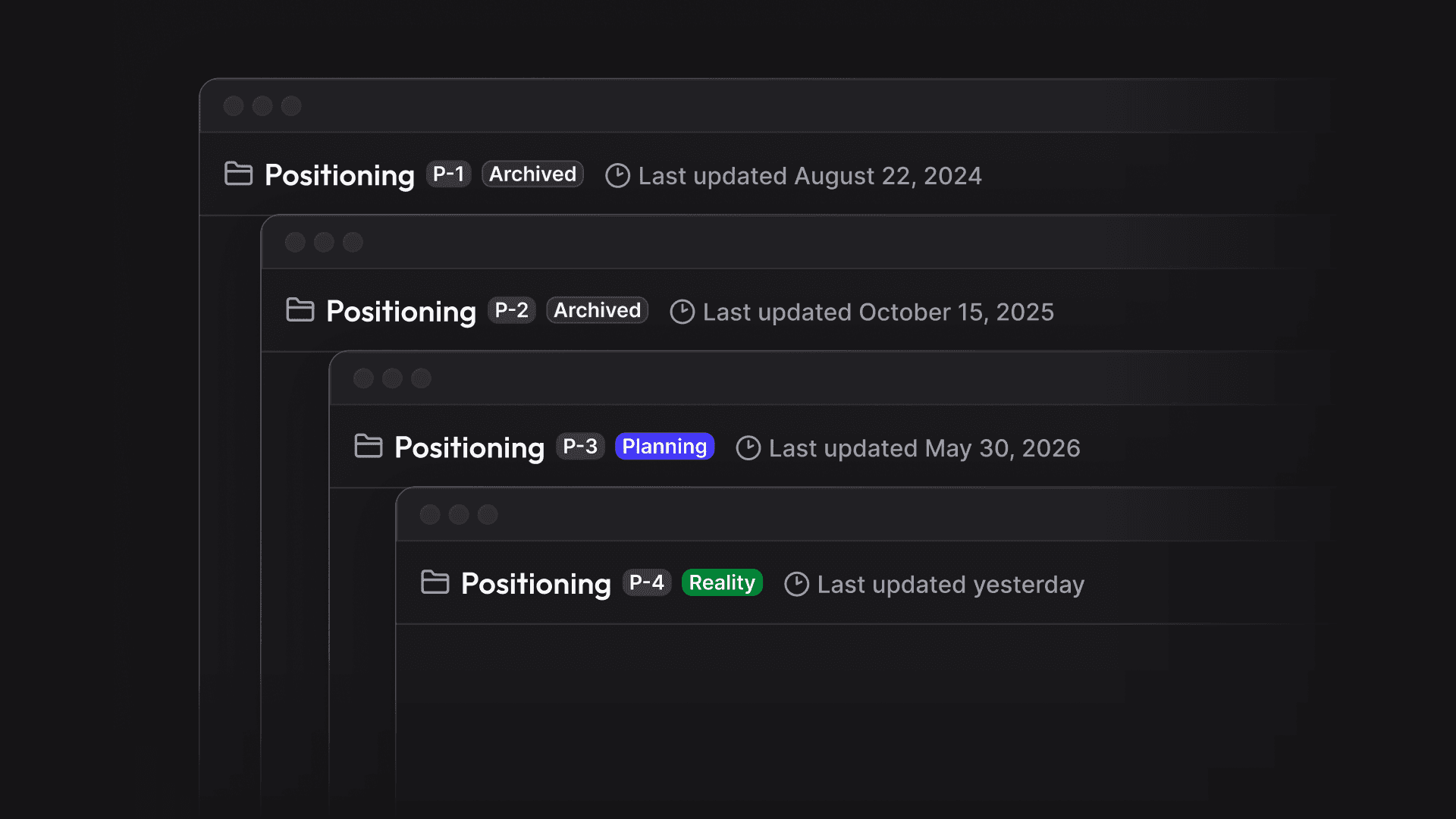
Strategy keeps evolving while day-to-day business runs. With the new statuses Planning and Reality, cosmos™ now clearly separates what is currently in place from what you are working on – in Positioning and on the Dashboard.
Positioning versions and history
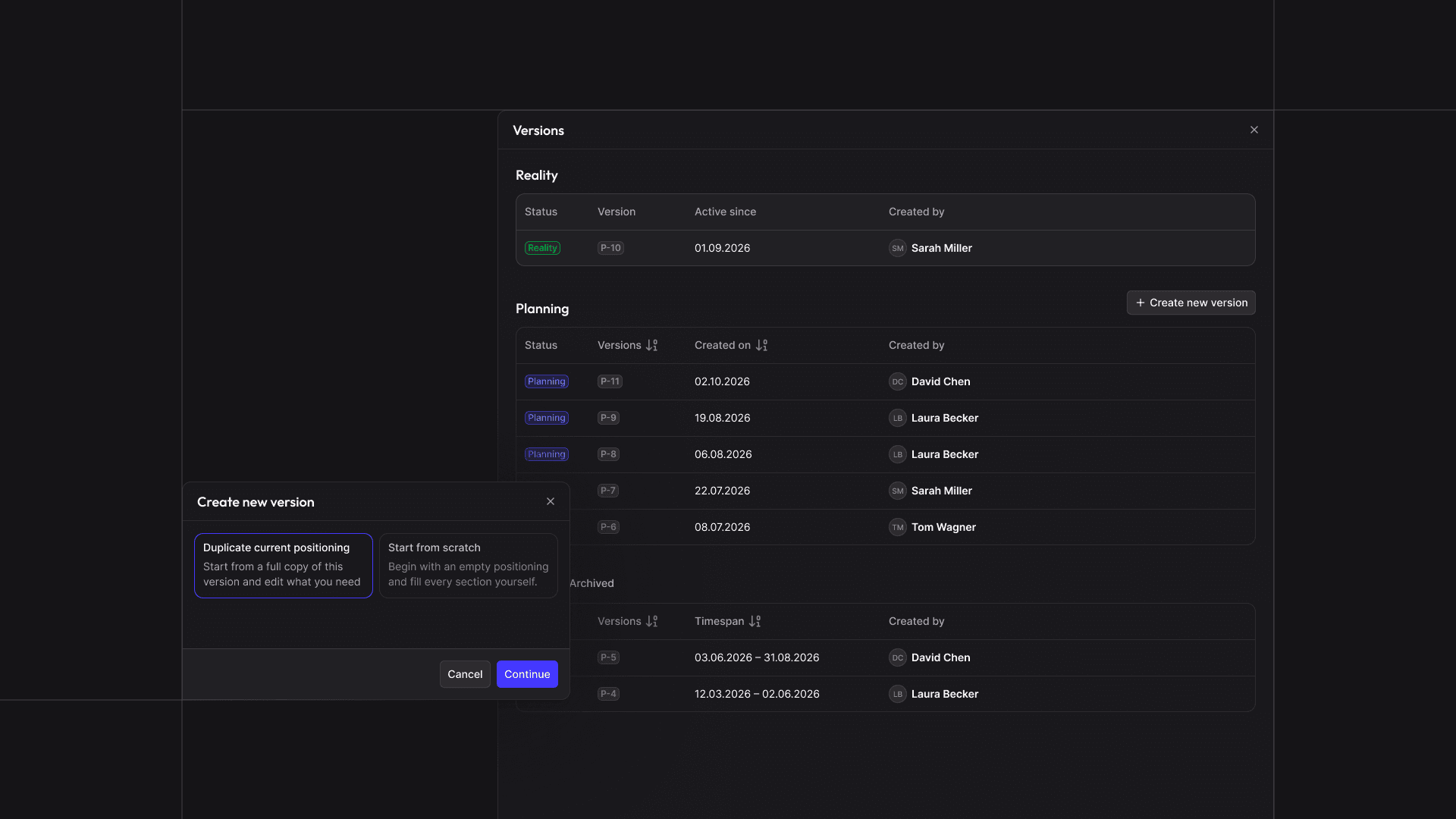
Evolve your positioning without touching the version that's currently in place. Create multiple versions per Space, exactly one is active.
- Planning, Reality, Archived: always clear what's in place, what's in progress and what has been replaced
- Duplicate instead of starting from scratch: build new versions on top of the current one
- Full history: previous versions stay visible, every decision stays traceable
- Creator visible: clear ownership for every version
- Live Links and AI always up to date: both automatically use the active version
Dashboard: New Target Cards
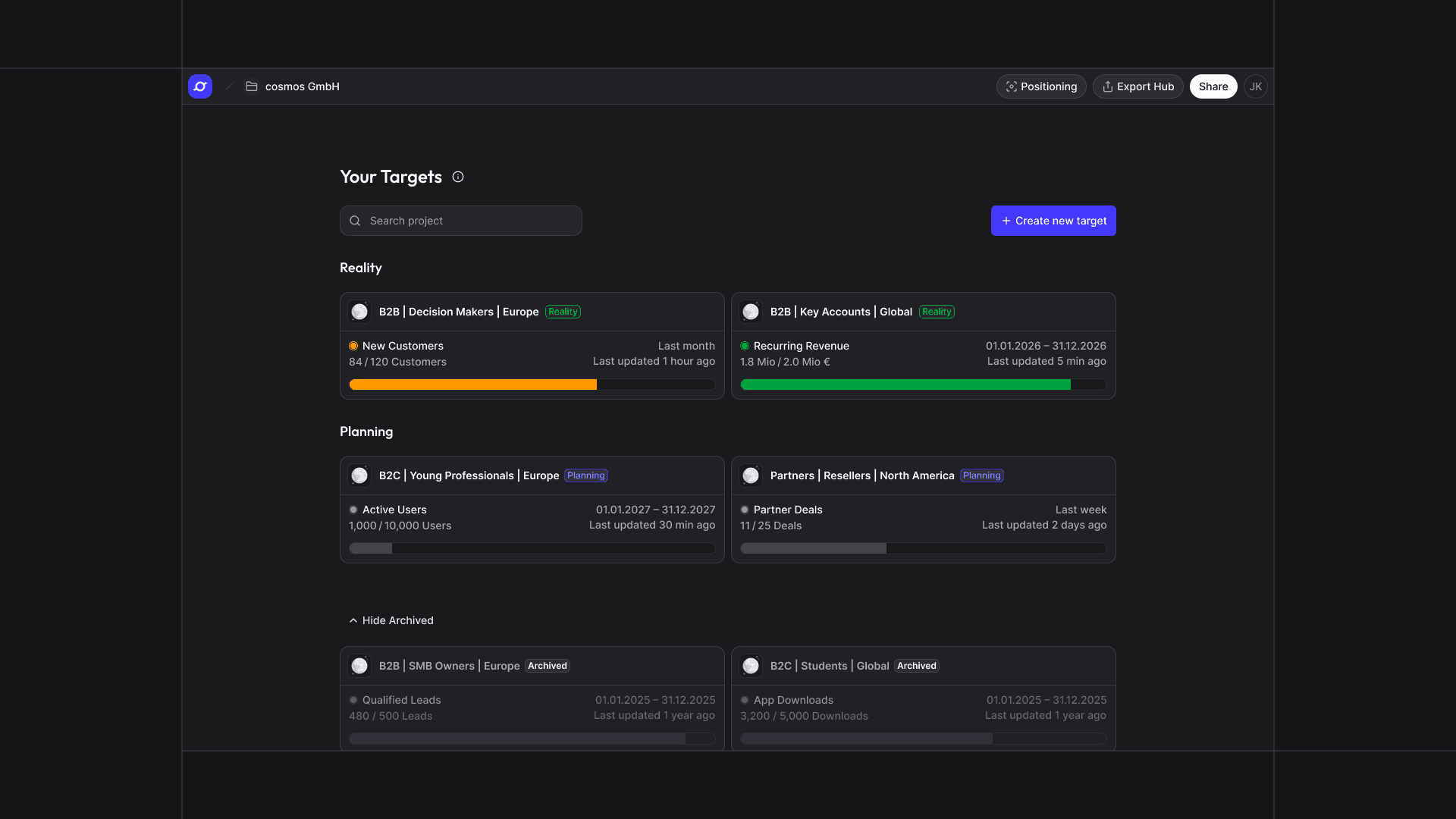
The reworked Target Cards show at a glance whether a target is active or in planning. Duplicate a target to explore alternative impact chains and scenarios without changing the running target. Archived targets remain visible too, so you can always trace what has changed.
KPI creation: a complete new workflow
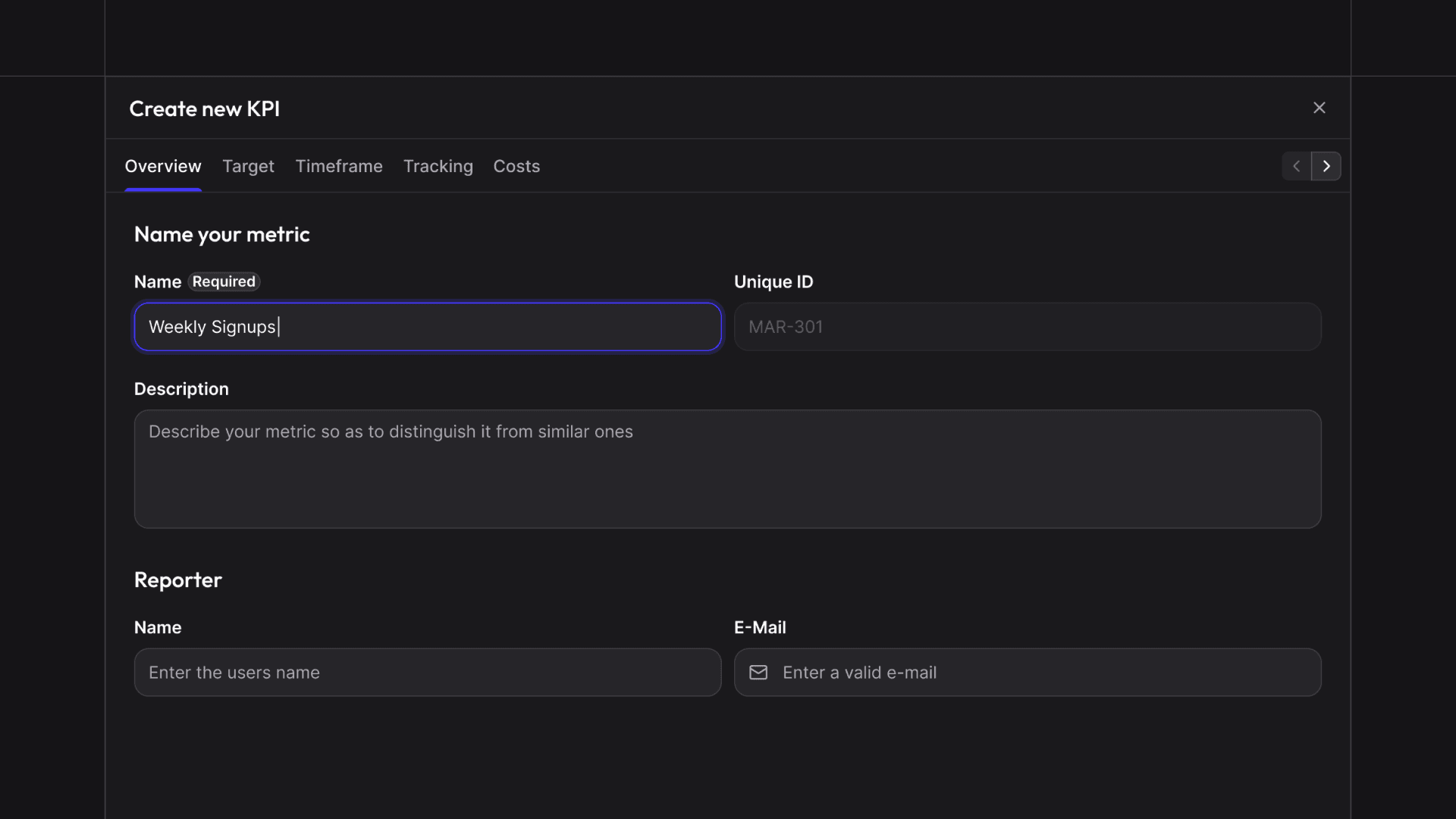
What used to be split across multiple steps is now one continuous flow. A new KPI only needs a name – fill in the rest when you're ready.
- KPIs now have their own description
- KPIs now have a unique Public ID
- KPIs now have value formatting (%, EU numbers, US numbers)
Impact Ring & KPI Cards: a complete rework
Visually and interactively reworked – and significantly faster.
- Activities added as a new item type, giving you more flexibility to structure your strategy
- Smoother connection and disconnection of items
- The minimap shows you exactly where you are
- KPI Cards have a new, more focused design
- Editing a KPI is cleanly separated from map action
- One click on "Tidy Up" and everything arranges itself
- Initiatives filter added by status and type
Dashboard: a complete new overview
Your home in cosmos™ has a cleaner layout and a better overview of performance at a glance. Product updates always in sight, Export Hub one click away.
Nest Targets to make strategic dependencies visible
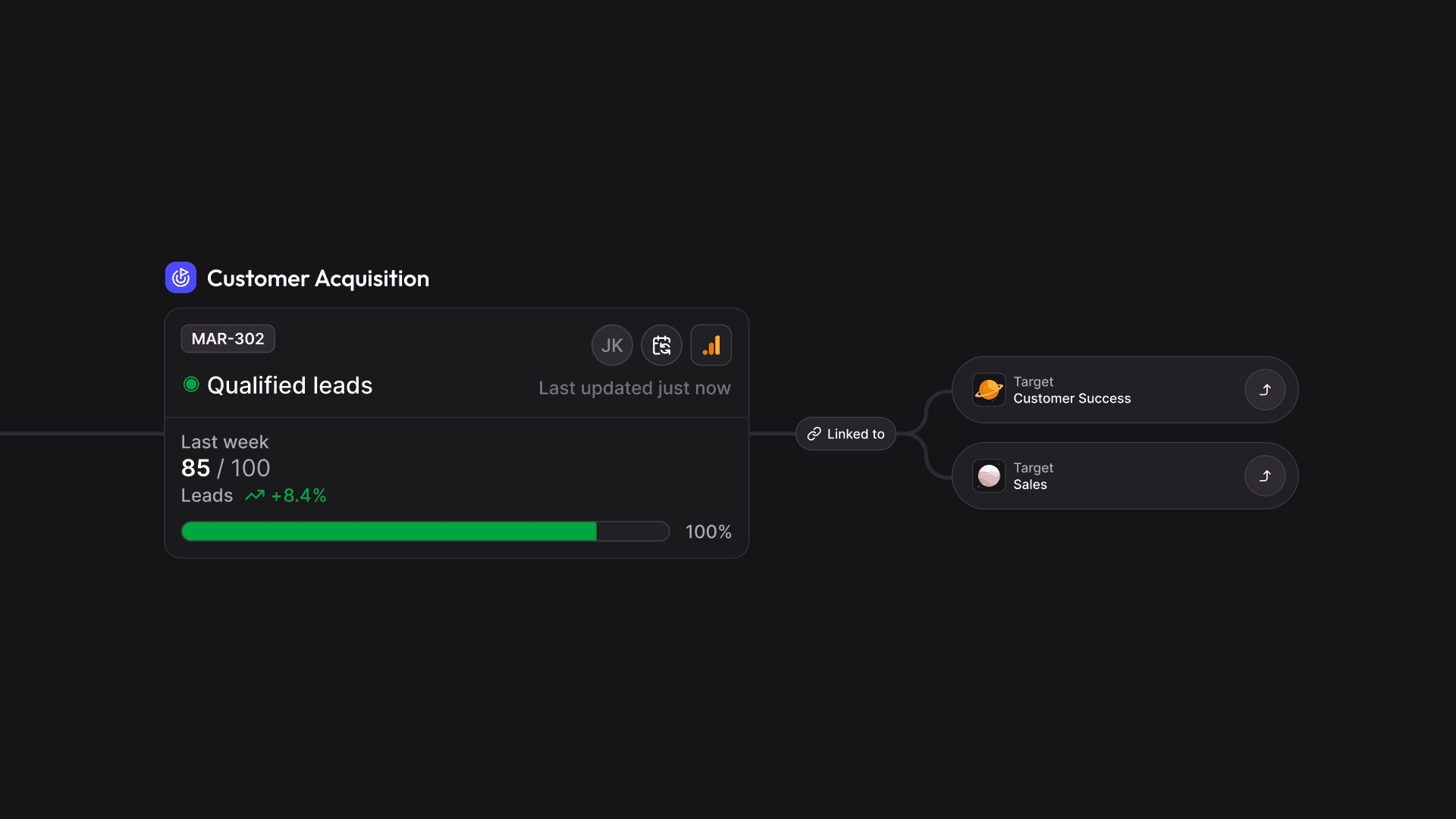
Goals don't exist in isolation. You can now link Targets directly to each other to visualize their strategic relationships and dependencies. One Target can be a tangible contribution to another. You always know how your goals relate to each other – and move between them without losing context.
Data integration from external and internal sources
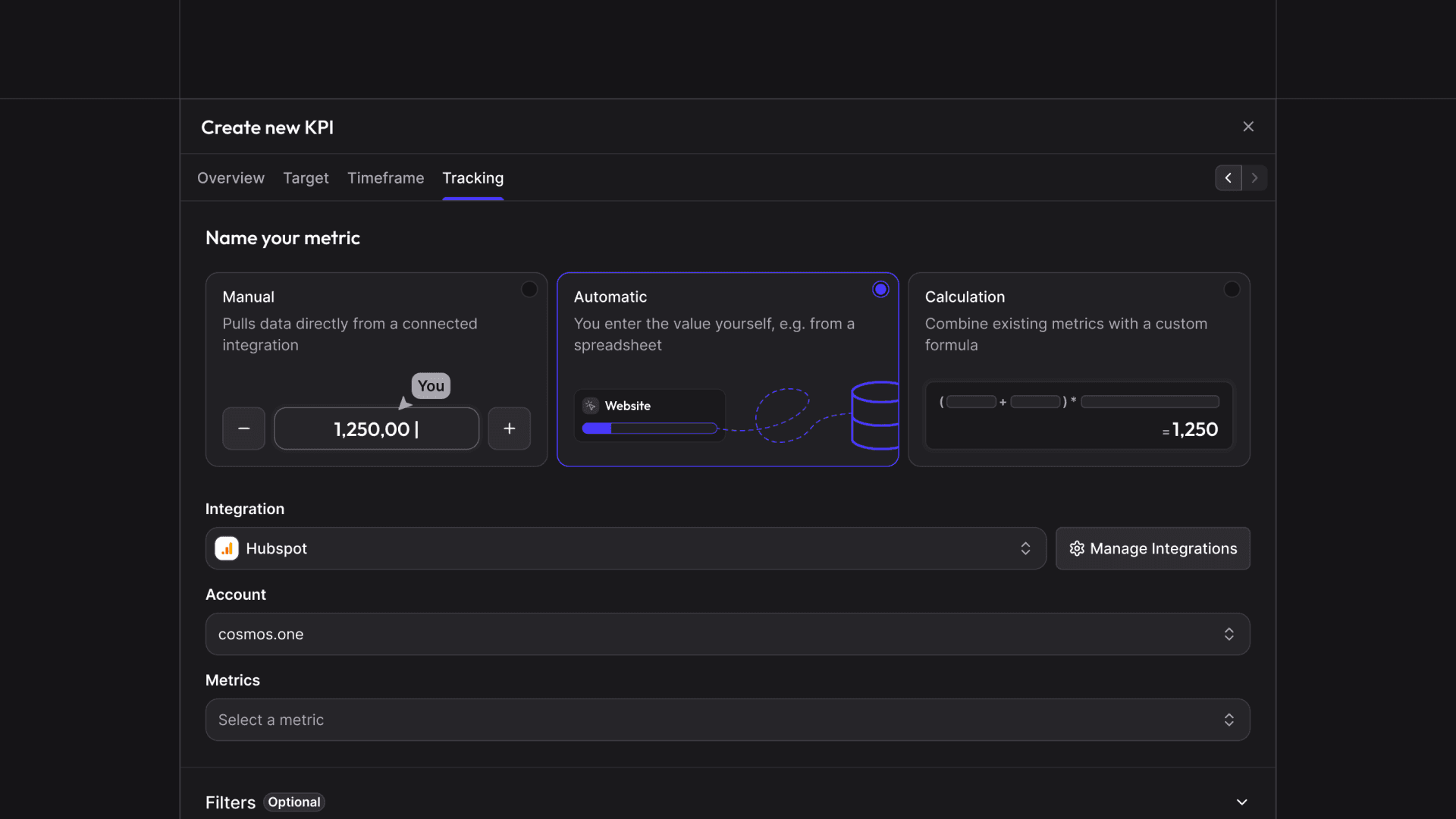
Stay data-driven without manual effort: connect any internal or external data source – from ad managers and analytics tools to CRMs – directly to your KPIs. cosmos™ enables fully automated updates of your key performance indicators in any custom rhythm: fixed time frames, recurring intervals, or dynamic rolling windows.
Define exactly which data you need, where it comes from, and how often it refreshes. cosmos™ takes care of the rest. Your cosmos becomes a living, self-updating ecosystem.
Track KPI trends with history curves
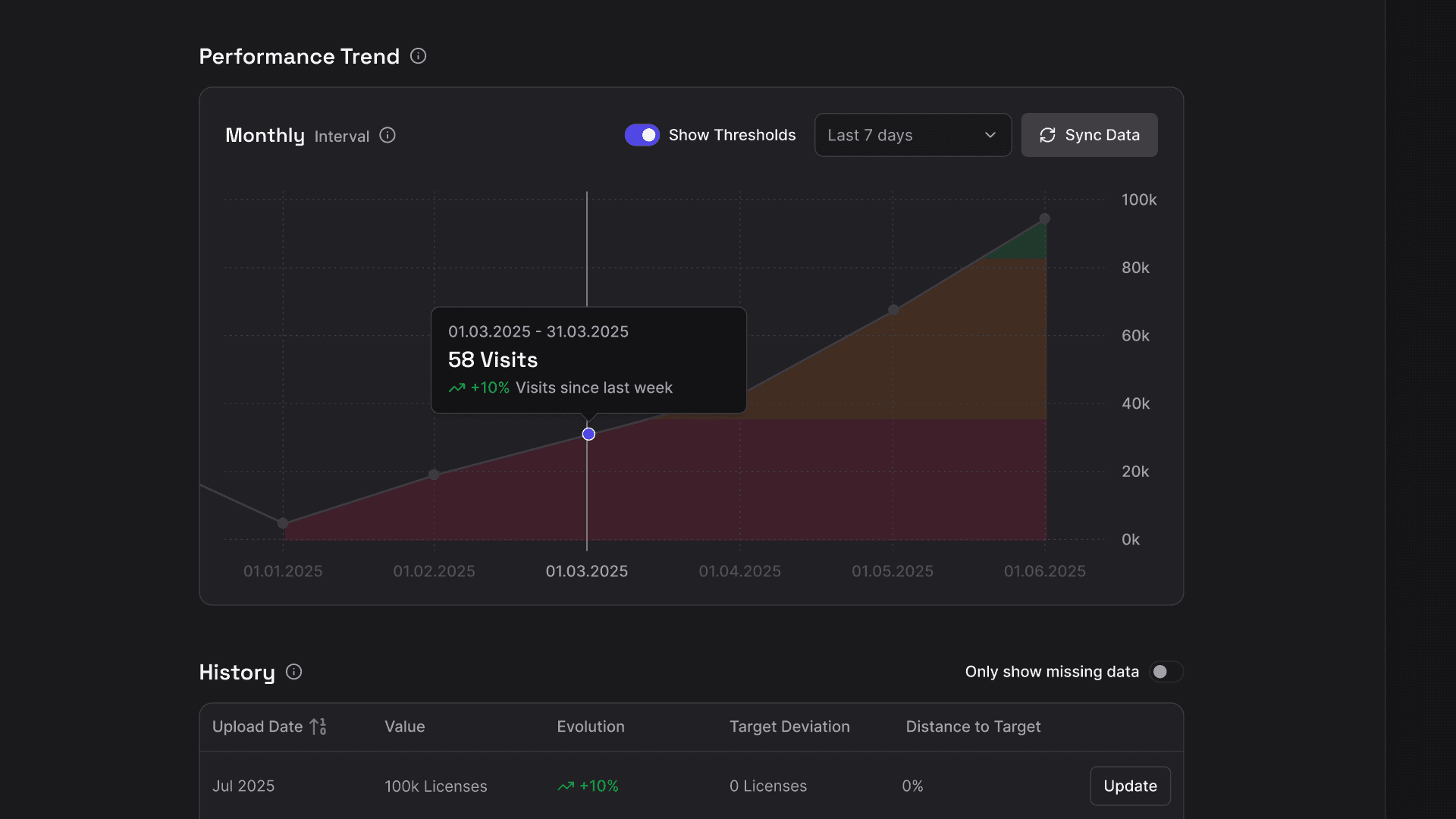
Every KPI now comes with its own historical timeline. All updates are stored automatically and displayed as a dynamic trend curve across selected time periods. See long-term developments and track the impact of strategic changes. In addition, you can now define precise percentage thresholds for each status level (critical, poor, moderate, good) and see them directly next to the KPI.
Inverted KPIs, because less is sometimes more
Not every KPI should go up. Costs, error rates, churn – for these metrics, a lower value is the goal. With Inverted KPIs, you can now model exactly that: click "Invert Value" in the edit mode of your KPI, set the target you want to stay below, and cosmos™ evaluates progress accordingly.
Improvements
- Improved responsibility tracking: If a user is deleted, their responsibility is automatically cleared
- Improved data responsibility: Assign data owners internally or externally (via name + email)
Level of detail states for your KPIs
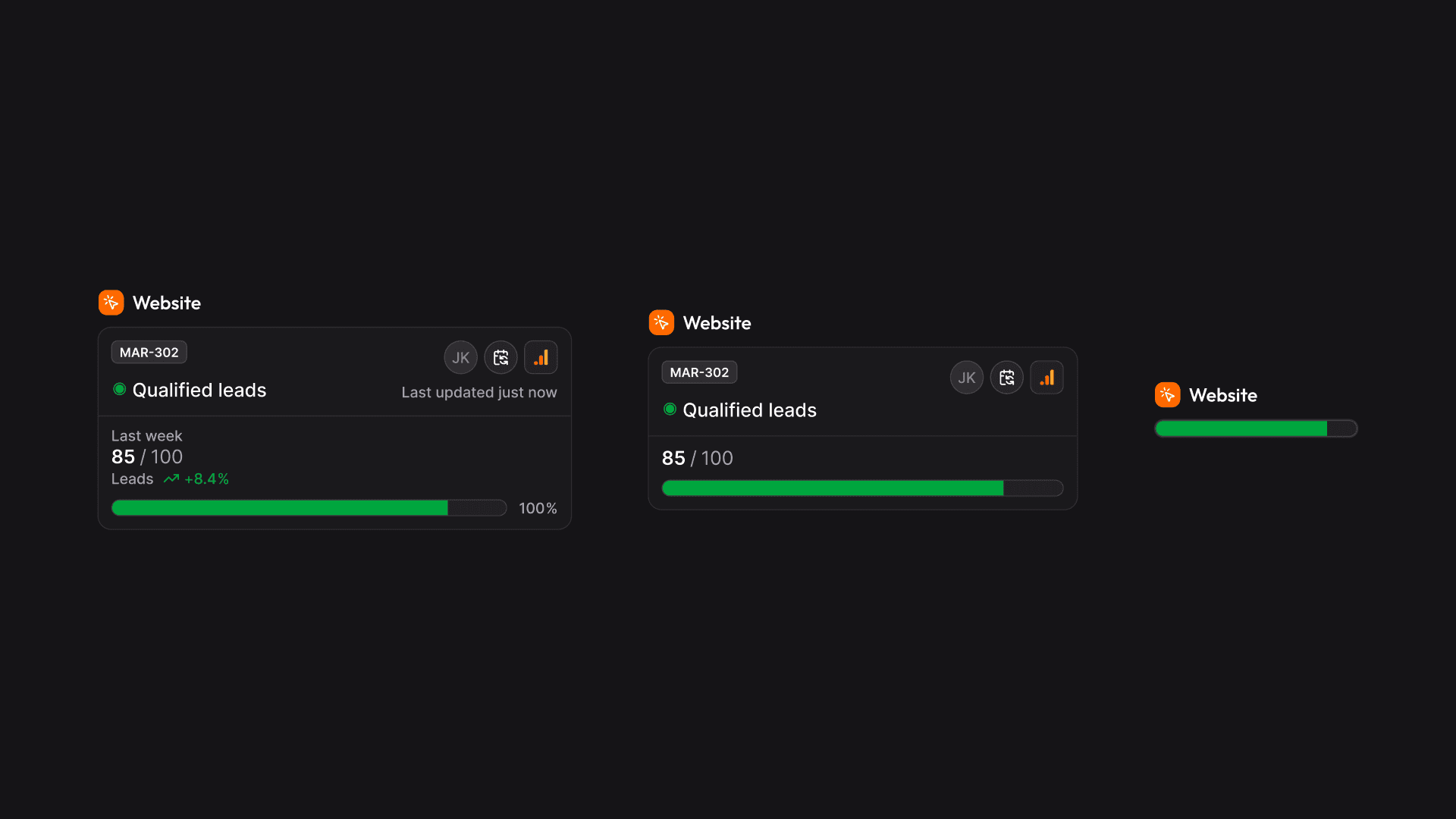
With dynamic levels of detail, you can now zoom through your KPI map. That way, you keep your bearings at a glance. Need more detail? Zoom in to see the full context. Zoom out, and the overview shows only the most important information.
Improvements
- Light & Dark mode: Work the way you like: switch seamlessly between light and dark modes to match your environment or personal preference.
- Export Hub filters: New filters let you find exactly what you’re looking for, e.g. all LiveLinks that share your positioning
- Market Penetration toggle: In the Positioning section, you can now switch between Obtainable and Obtained Market for sharper insights
- TargetLens™ navigation: Use your keyboard arrows to navigate through your TargetLens™ faster
Central user management & multi-space function
You can now manage your account in an even more flexible and structured way – from user roles to multiple independent Spaces under one company account.
Improvements
- Invitation function for new users with assignment to Spaces
- Assignment of roles with different permissions
- Simplified Space settings: Clear structure ensures it’s always visible which Space a user belongs to
- Access control: User accounts can be blocked or removed
- Customization of Space name